 hromada
 5.5 · node.js 22.15+ · apache-2.0
Your computers,one private network.No server.
hromada joins your laptop, your home PC and your servers into one encrypted network. Then they call each other like functions, send files and share AI tools, wherever each one is. No server of yours, no open port, no tunnel service, no account.
npm i hromadaWhat it solves
Things people usually do with port forwarding, ngrok, a VPN, a cloud queue or a chat bot, done between your own machines instead.
Your MCP server, from the cafe
The AI tools on your home PC, used by the AI client on your laptop. Three commands and one config block.
02The home GPU, from the laptop
Ask the model on your home PC a question from the laptop, as if it were a local function.
03Send a file, then only the changes
A 5 MB file edited in one place: the second send is under 0.1 MB.
04Workers that cover for each other
Two AI workers share jobs. One dies mid-job; the other finishes it, with no code from you.
05"Build done" on your laptop
A private message from your server when a long job ends. No bot, no token, no webhook.
How it works, in plain words
There is no account and no central server. The first computer starts the network and decides who gets in.
hromada://.... It works once and for 10 minutes, so a leaked old invite is useless. It can be shown as a QR code too."laptop") or by what it can do ({ cap: "gpu" }), stream bytes, send files. Remove a device and it cannot come back.Examples
Each one is a whole file from the repository's examples/ folder, run by the tests on every change. For the demo both "computers" run in one process, in two folders. The output under each one is a real run, made when this site was built.
git clone https://github.com/Olexan-art/hromada && cd hromada
npm ci && npm run build
node examples/02-home-gpu-ollama.mjs01Use the MCP server on your home PC from your laptop
Your MCP server (files, a database, a local model, your scripts) runs at home, next to its data and keys. You are in a cafe with the laptop and want your AI client to use it. Usually that means a tunnel service, an open port or a VPN. Here it is three commands.

npx hromada init --name home-pc --hide-identity
npx hromada mcp expose --as files --cmd "python my_mcp_server.py" --allow laptop --tools read_file,list_dir

# in a second terminal on the same PC:
npx hromada invite # prints one line: hromada://... (works once, for 10 minutes)npx hromada join hromada://...the-line-from-the-pc... --name laptop{
"mcpServers": {
"home-files": {
"command": "npx",
"args": ["hromada", "mcp", "bridge", "--server", "files"]
}
}
}What each part does
mcp exposekeeps the MCP server on the PC and offers it to the network under the namefiles.--allow laptop: only the member namedlaptopmay start it. Nobody else in the network.--tools read_file,list_dir: only these tools are listed and can be called, whatever else the server has. (Other MCP requests, such as reading resources, are not limited by this flag.)--hide-identity: someone who finds the PC on the network and connects learns nothing, not even which device it is.- The server gets only basic variables like PATH and HOME, so your API keys in the environment stay on the PC (
--env NAMEpasses one on purpose). - On the laptop,
mcp bridgestands in for the server: the AI client starts it as if it were the server, and it carries everything to the PC. - The bridge remembers the first PC it used and that server's tools. If the tools change, calls wait until you approve with
--accept-tools. - Every call is logged;
--audit calls.jsonlwrites them to a file.
Different networks that cannot reach each other? Run npx hromada relay --token SECRET on any small
server, then add --relay host:41819 --relay-token SECRET on both sides. The relay only passes encrypted bytes along.
02Call the model on your home PC from your laptop
The strong GPU is in the home PC, the work happens on the laptop. You want to ask the model there a question as simply as calling a function, without exposing it to the internet.
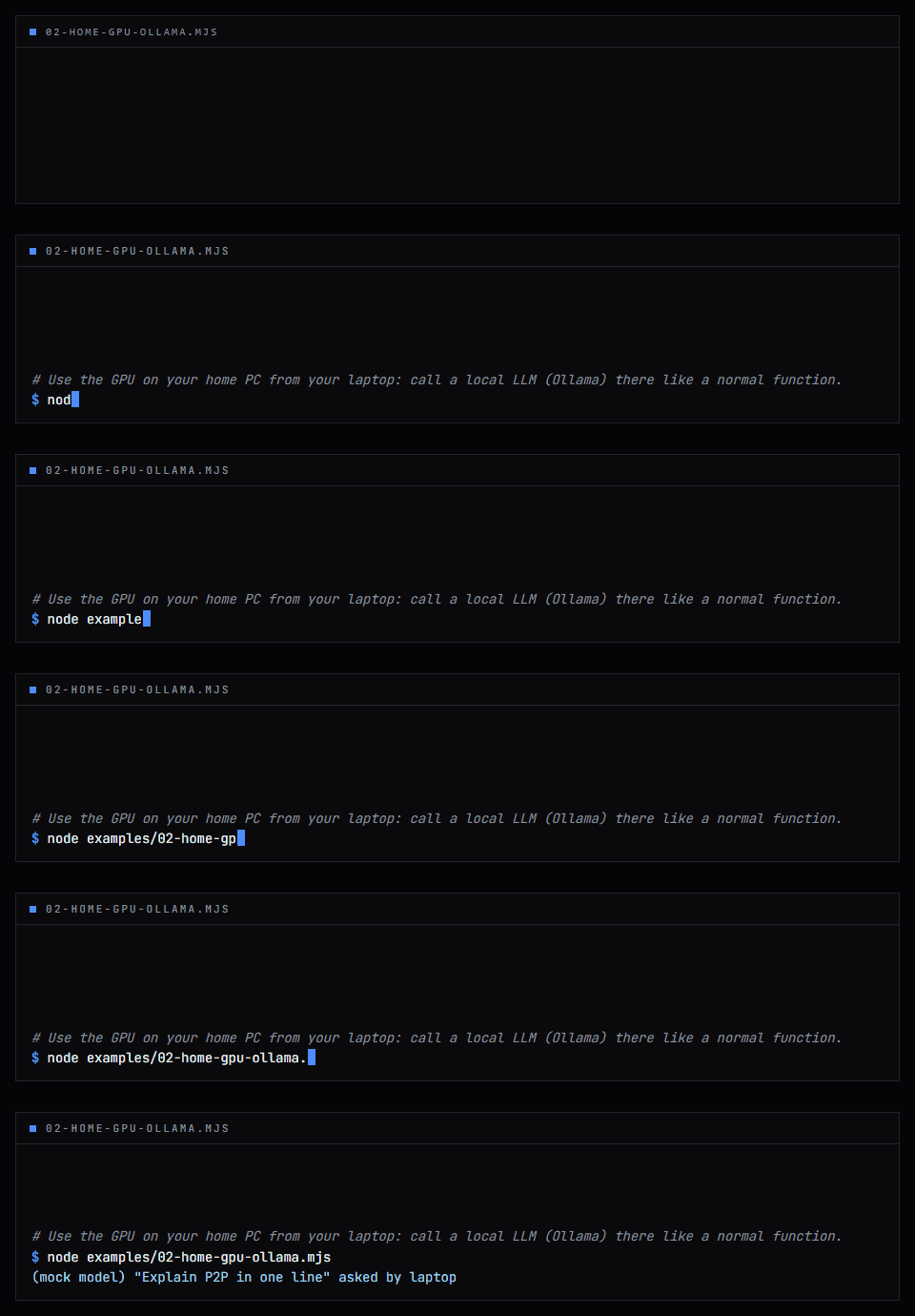
// Use the GPU on your home PC from your laptop: call a local LLM (Ollama) there like a normal function.
// Run it: node examples/02-home-gpu-ollama.mjs (for the demo both "computers" live here, in two folders)
import { mkdtempSync, rmSync } from "node:fs";
import { tmpdir } from "node:os";
import { join } from "node:path";
import { createMesh, joinMesh } from "hromada/mesh";

const tmp = mkdtempSync(join(tmpdir(), "hromada-gpu-"));
const laptop = await createMesh({ dir: join(tmp, "laptop"), name: "laptop" }); // founds the mesh
const invite = laptop.createInvite(); // one line, works once, for 10 minutes
const pc = await joinMesh(invite, { dir: join(tmp, "pc"), name: "home-pc", caps: ["gpu"] }); // on the home PC

pc.serve("ask", (body) => typeof body?.prompt === "string", async (from, { prompt }) => {
  // With Ollama running on the home PC, use this instead of the mock answer below:
  // const r = await fetch("http://127.0.0.1:11434/api/generate", { method: "POST",
  //   body: JSON.stringify({ model: "llama3.2", prompt, stream: false }) });
  // return { answer: (await r.json()).response };
  return { answer: `(mock model) "${prompt}" asked by ${from.name}` };
});

// any member that said it has "gpu"; with several, the least busy one, and the next one if it drops
const reply = await laptop.callAny({ cap: "gpu" }, "ask", { prompt: "Explain P2P in one line" }, { timeoutMs: 120_000 });
console.log(reply.answer);

await pc.stop();
await laptop.stop();
rmSync(tmp, { recursive: true, force: true });(mock model) "Explain P2P in one line" asked by laptopWhat happens
createMeshfounds a network in a folder (the keys live there);createInvitemakes the one-line invite.joinMeshis what the home PC runs with that line.caps: ["gpu"]tells the others what it can do.serve("ask", check, handler)answers a call. Thecheckruns first: it is your input validation, and anything it refuses never reaches the handler.callAny({ cap: "gpu" }, ...)picks a member that can do "gpu": the least busy one if there are several, and the next one if it drops.- The handler also gets
from: who called. Usefrom.dev(the device id) to decide who may do what.
With Ollama running on the PC, swap the mock answer for the three
commented lines. Several GPU machines? Each one joins with caps: ["gpu"], and callAny spreads the work.
03Send a file, and after an edit only the changes
A database file, a dataset or a video goes from one computer to another again and again. Copying the whole thing after every small edit wastes time and bandwidth.
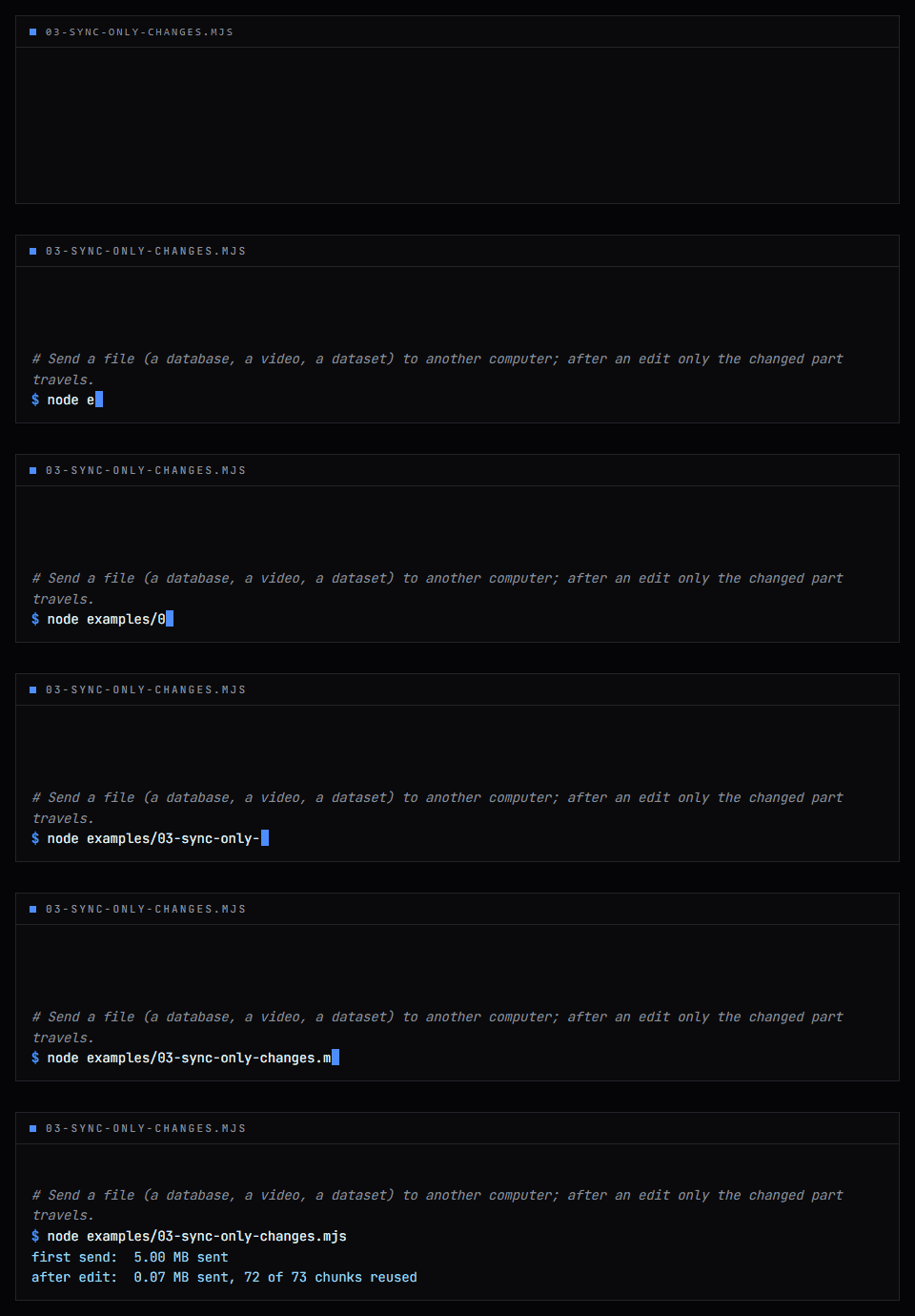
// Send a file (a database, a video, a dataset) to another computer; after an edit only the changed part travels.
// Run it: node examples/03-sync-only-changes.mjs
import { mkdtempSync, rmSync, writeFileSync } from "node:fs";
import { tmpdir } from "node:os";
import { join } from "node:path";
import { createMesh, joinMesh } from "hromada/mesh";
import { dropReceive, dropSend } from "hromada/drop";

const tmp = mkdtempSync(join(tmpdir(), "hromada-drop-"));
const laptop = await createMesh({ dir: join(tmp, "laptop"), name: "laptop" });
const nas = await joinMesh(laptop.createInvite(), { dir: join(tmp, "nas"), name: "nas" });
dropReceive(nas, { into: join(tmp, "inbox") }); // the NAS takes files members send it
while (!laptop.member("nas")) await new Promise((r) => setTimeout(r, 50));

const file = join(tmp, "shop.db"), data = Buffer.alloc(5 * 1024 * 1024); // 5 MB, the same bytes every run
for (let i = 0, x = 1; i < data.length; i++) { x ^= x << 13; x ^= x >>> 17; x ^= x << 5; data[i] = x & 255; }
writeFileSync(file, data);
const mb = (n) => (n / 1024 / 1024).toFixed(2);
let r = await dropSend(laptop, "nas", file);
console.log(`first send:  ${mb(r.sentBytes)} MB sent`);

data.fill(1, 2_000_000, 2_001_024); // edit 1 KB in the middle
writeFileSync(file, data);
r = await dropSend(laptop, "nas", file);
console.log(`after edit:  ${mb(r.sentBytes)} MB sent, ${r.reused} of ${r.chunks} chunks reused`);

await nas.stop();
await laptop.stop();
rmSync(tmp, { recursive: true, force: true });first send: 5.00 MB sent
after edit: 0.07 MB sent, 72 of 73 chunks reusedWhat happens
dropReceive(nas, { into })makes the NAS accept files from members into a folder.dropSendsplits the file into pieces by its content, and asks the other side which pieces it already has.- Only the missing pieces travel. Each one is checked by its SHA-256 on arrival, and the file appears only when it is whole and right.
- Because the cut points follow the content, an edit (even an inserted byte) changes only the pieces around it.
npx hromada drop receive --into ~/inbox      # on the receiving computer (keeps running)
npx hromada drop send ./shop.db --to nas # again after an edit: only the changed pieces go04Two workers that cover for each other
Jobs go to AI workers on several machines. A worker can crash or lose its network in the middle of a job, and you do not want to write the retry logic yourself.
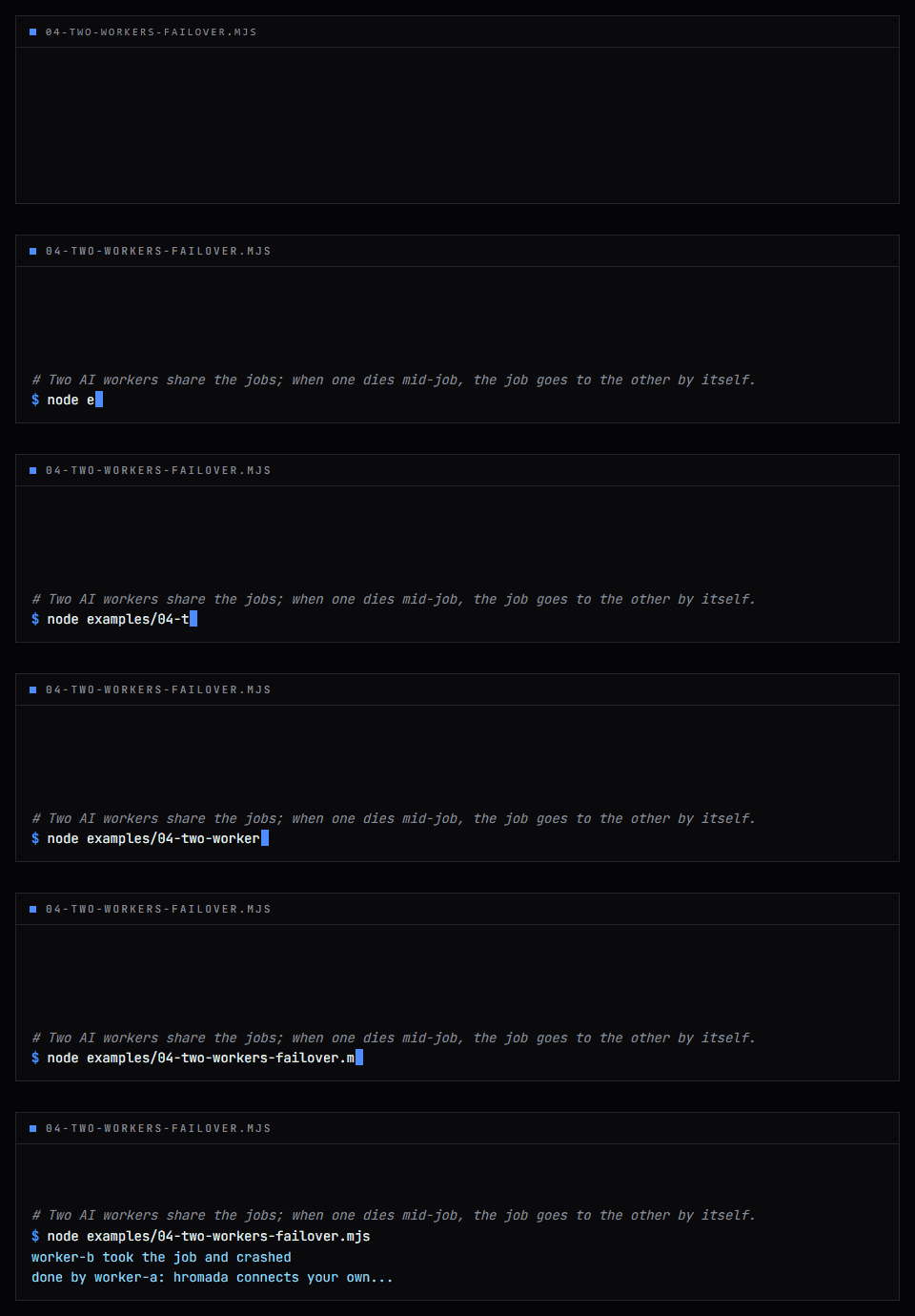
// Two AI workers share the jobs; when one dies mid-job, the job goes to the other by itself.
// Run it: node examples/04-two-workers-failover.mjs
import { mkdtempSync, rmSync } from "node:fs";
import { tmpdir } from "node:os";
import { join } from "node:path";
import { createMesh, joinMesh } from "hromada/mesh";

const tmp = mkdtempSync(join(tmpdir(), "hromada-workers-"));
const boss = await createMesh({ dir: join(tmp, "boss"), name: "boss" });
let crashed = false;
const workers = [];
for (const name of ["worker-a", "worker-b"]) {
  const w = await joinMesh(boss.createInvite(), { dir: join(tmp, name), name, caps: ["worker"] });
  w.serve("summarize", (b) => typeof b?.text === "string", async (_from, { text }) => {
    if (!crashed) { crashed = true; console.log(`${name} took the job and crashed`); setTimeout(() => w.stop(), 50); return new Promise(() => {}); }
    return { by: name, summary: text.split(" ").slice(0, 4).join(" ") + "..." };
  });
  workers.push(w);
}
while (boss.members().filter((m) => m.caps.includes("worker")).length < 2) await new Promise((r) => setTimeout(r, 50));

const r = await boss.callAny({ cap: "worker" }, "summarize", { text: "hromada connects your own computers into one mesh" });
console.log(`done by ${r.by}: ${r.summary}`);

// A job that must never run twice (a payment, a sent email): no second worker once it went out,
// and give it an id the worker checks, so a repeat is noticed.
// await boss.callAny({ cap: "worker" }, "charge", { id: "order-42" }, { retryOnTimeout: false, retryOnGone: false });

for (const w of workers) await w.stop();
await boss.stop();
rmSync(tmp, { recursive: true, force: true });worker-a took the job and crashed
done by worker-b: hromada connects your own...What happens
- Both workers join with
caps: ["worker"]and serve the same method. - The first one to get the job "crashes": it stops while the job is running.
callAnysees the connection drop and sends the same job to the other worker. The caller just gets the answer.
A job that must not run twice (a payment, an email, a write): the crashed worker might have
done it before it dropped. Pass { retryOnTimeout: false, retryOnGone: false } so no second worker
gets it, and give the job an id the worker checks, so a repeat is noticed. Nothing on a network is "exactly once" by itself.
05"Your build is done" on your laptop
A long build, training run or scraper runs on a server. You want to know when it ends, without setting up a chat bot, a webhook or an API token.
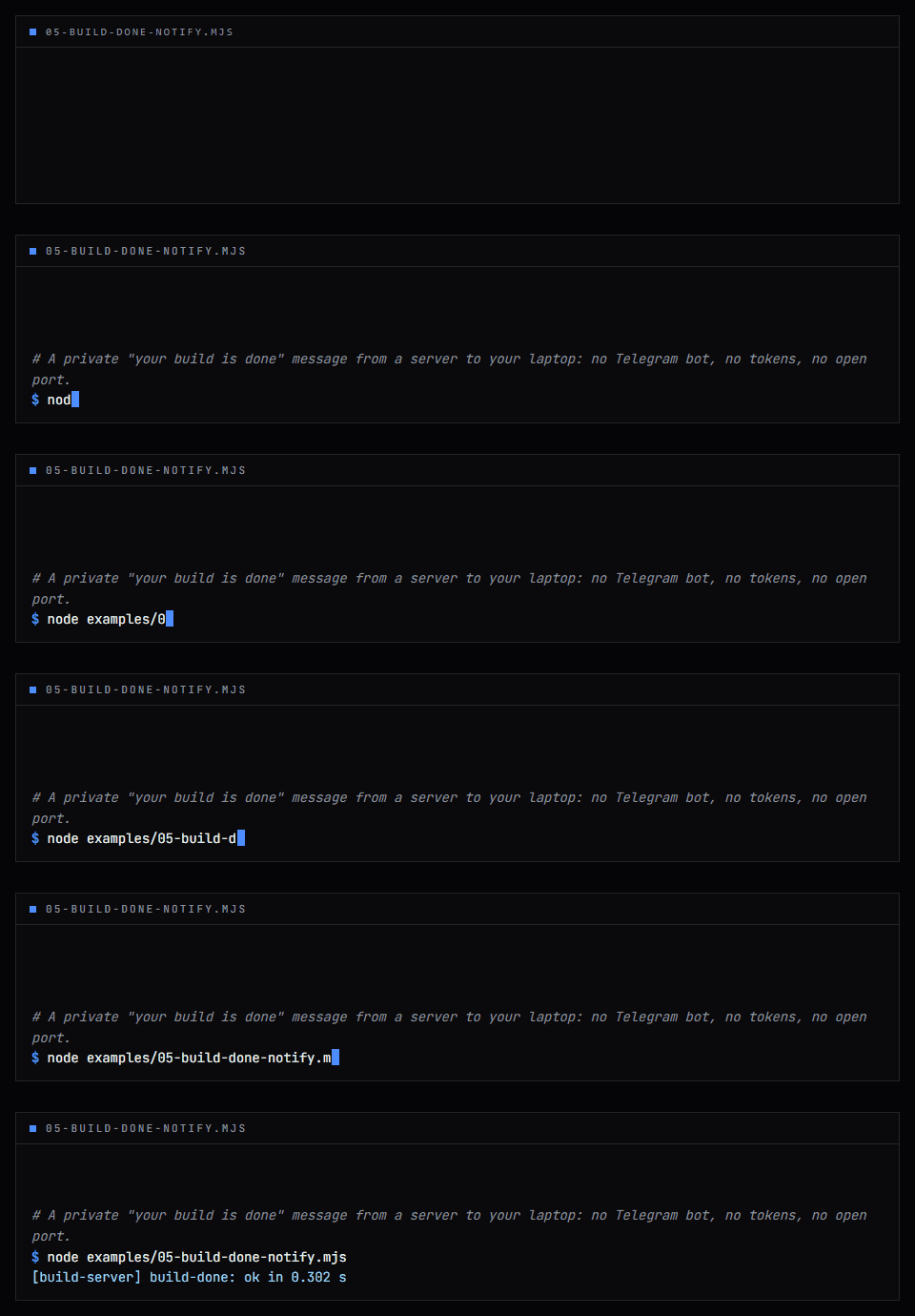
// A private "your build is done" message from a server to your laptop: no Telegram bot, no tokens, no open port.
// Run it: node examples/05-build-done-notify.mjs
import { mkdtempSync, rmSync } from "node:fs";
import { tmpdir } from "node:os";
import { join } from "node:path";
import { createMesh, joinMesh } from "hromada/mesh";

const tmp = mkdtempSync(join(tmpdir(), "hromada-notify-"));
const laptop = await createMesh({ dir: join(tmp, "laptop"), name: "laptop" });
const server = await joinMesh(laptop.createInvite(), { dir: join(tmp, "server"), name: "build-server" });

// on the laptop: what to do with a message (show a desktop notification, play a sound...)
laptop.serve("notify", (b) => typeof b?.event === "string", (from, b) => {
  console.log(`[${from.name}] ${b.event}: ${b.ok ? "ok" : "FAILED"} in ${b.seconds} s`);
  return "seen";
});

// on the server, at the end of the build script
const t0 = Date.now();
await new Promise((r) => setTimeout(r, 300)); // npm run build ...
await server.call("laptop", "notify", { event: "build-done", ok: true, seconds: (Date.now() - t0) / 1000 });

await server.stop();
await laptop.stop();
rmSync(tmp, { recursive: true, force: true });[build-server] build-done: ok in 0.305 sWhat happens
- The laptop serves
notify; the server calls it by name:call("laptop", "notify", ...). - The message goes straight from one machine to the other, encrypted. No third service sees it.
- If the laptop is not reachable,
callfails with a clear error code you can handle (wait and retry, or log it).
On two real computers
The examples keep both sides in one process. On real machines each side keeps its half, and each machine keeps its network in a folder it reuses on every start.
import { createMesh } from "hromada/mesh";
import { homedir } from "node:os";
import { join } from "node:path";

const dir = join(homedir(), ".myapp-mesh");   // Node does not expand "~"
const mesh = await createMesh({ dir, name: "desk" });
console.log(mesh.createInvite()); // copy this line to computer Bimport { joinMesh } from "hromada/mesh";
// ...the same dir as above, on this computer
const mesh = await joinMesh(process.env.INVITE, { dir, name: "laptop" });const mesh = await createMesh({ dir }); // they find each other by themselves
// ... serve / call / callAny ...
await mesh.stop(); // before the program exitsPrefer the terminal? npx hromada init, npx hromada invite (add --qr for a
QR code), npx hromada join <invite>, then npx hromada members or the live view npx hromada top.
Use it with Cursor, Claude Code or Codex
Paste this into your AI coding agent. It reads the short guides written for agents and does the wiring for you.
Read https://raw.githubusercontent.com/Olexan-art/hromada/main/llms.txt and
https://raw.githubusercontent.com/Olexan-art/hromada/main/AGENTS.md. Connect my local MCP server (or worker script)
between my desktop and laptop using hromada, with --allow and --hide-identity enabled.
Safety in practice
What you get without doing anything, and the few things that are your call.
Encrypted end to end
Every connection uses a Noise handshake and AES-256-GCM. A relay in the middle sees only encrypted bytes.
Only invited devices
An invite works once, for 10 minutes. Every device carries a card signed by the founder; the founder can revoke a device for good.
Check what you accept
serve(name, check, handler): your check decides which bodies are valid. Members you trust can still send mistakes.
Authorise by device, not name
A member chooses its own display name. To decide who may do what, use from.dev; --allow already does.
Hide who is there
--hide-identity on the founder: a stranger who connects learns nothing about the devices.
No audit yet
It has a written threat model and its own security reviews, but no independent audit so far. See SECURITY.md.
Words used here
- mesh
- Your private network: the devices that joined it. Kept in a folder (
dir) on each device. - founder
- The device that created the mesh. Only it makes invites and revokes devices.
- member
- A device in the mesh, with a name (
"laptop") and a device id that cannot be faked. - invite
- One line of text (
hromada://...) that lets one device join, once, within 10 minutes. - caps
- What a member says it can do, like
"gpu"or"worker".callAny({ cap })picks by it. - serve / call
- One side offers a named method, the other calls it with a JSON body and gets the answer back.
- relay
- A tiny program on any server both sides can reach, for when they cannot reach each other directly. It passes encrypted bytes and nothing more.
- MCP
- Model Context Protocol: how AI clients talk to tool servers. hromada carries it between computers.
Numbers
Measured on one machine (AMD Ryzen 9 8945HS, Node 22, Windows 11). Between two computers the network is usually the limit.
| What | Result | How |
|---|---|---|
| Stream, AES-256-GCM | about 500 MB/s | two processes, loopback, 400 MB |
| File, disk to disk | 195 MB/s | 100 MB, every piece checked with SHA-256 |
| File over a 50 ms round trip | 107 MB/s | through a proxy holding each byte 25 ms each way |
| Relay to direct link | 0.5 s, 0 of 33 calls lost | two real PCs on one Wi-Fi |
| Join when the first address is silent | 0.8 s | 5.5: addresses are tried in a staggered way (was 10 s) |
Questions people ask
How do I use my MCP server from another computer?
Run npx hromada mcp expose --as files --cmd "your server command" --allow laptop on the computer that has the server, join the laptop to the same mesh with a one-time invite, and put npx hromada mcp bridge --server files in the laptop's MCP client config. The AI client on the laptop then uses the server as if it were local, end-to-end encrypted. Step by step.
Can I call Ollama or another local LLM on my home PC from my laptop?
Yes. The home PC joins with caps: ["gpu"] and serves a method that calls Ollama on 127.0.0.1:11434; the laptop calls mesh.callAny({ cap: "gpu" }, "ask", { prompt }). The model is never exposed to the internet. The whole program.
Do I need a server, a public IP or port forwarding?
No. Devices find each other on the same network, at addresses they remember, through NAT hole punching on the optional Hyperswarm DHT, or through a small relay you run yourself on any server. No port has to be opened on your computers.
Is hromada a VPN or a tunnel service?
No. It does not route your traffic or give your devices addresses on a virtual network, and there is no third-party server or public URL. It connects Node.js programs on your own devices to each other: calls, streams, files and MCP servers.
Is the connection encrypted, and who can join?
Every connection uses a Noise XX handshake and AES-256-GCM, end to end; a relay sees only encrypted bytes. Only devices with a one-time invite from the founder can join, and the founder can revoke a device for good. There has been no independent audit yet.
Which platforms does it run on?
Node.js 22.15 or later on Windows, macOS and Linux (every change is tested on all three), and in Electron. It does not run in browsers or mobile apps.
When not to use it
- To hide who talks to whom. Peers and a relay see IP addresses. Use Tor or a VPN for that.
- In a browser or a mobile app. It is Node.js only (Electron works).
- For thousands of strangers. It is built for your own devices and a team's, not open public networks.
- Where an independent security audit is required. There has not been one yet.
- When one HTTPS server everyone can reach is enough. That is simpler.
More: README · AGENTS.md (recipes, common mistakes, every error code) · SECURITY.md · PROTOCOL.md · CHANGELOG